
Nintendo · Three ways to share
How to game share on Nintendo Switch and Switch 2
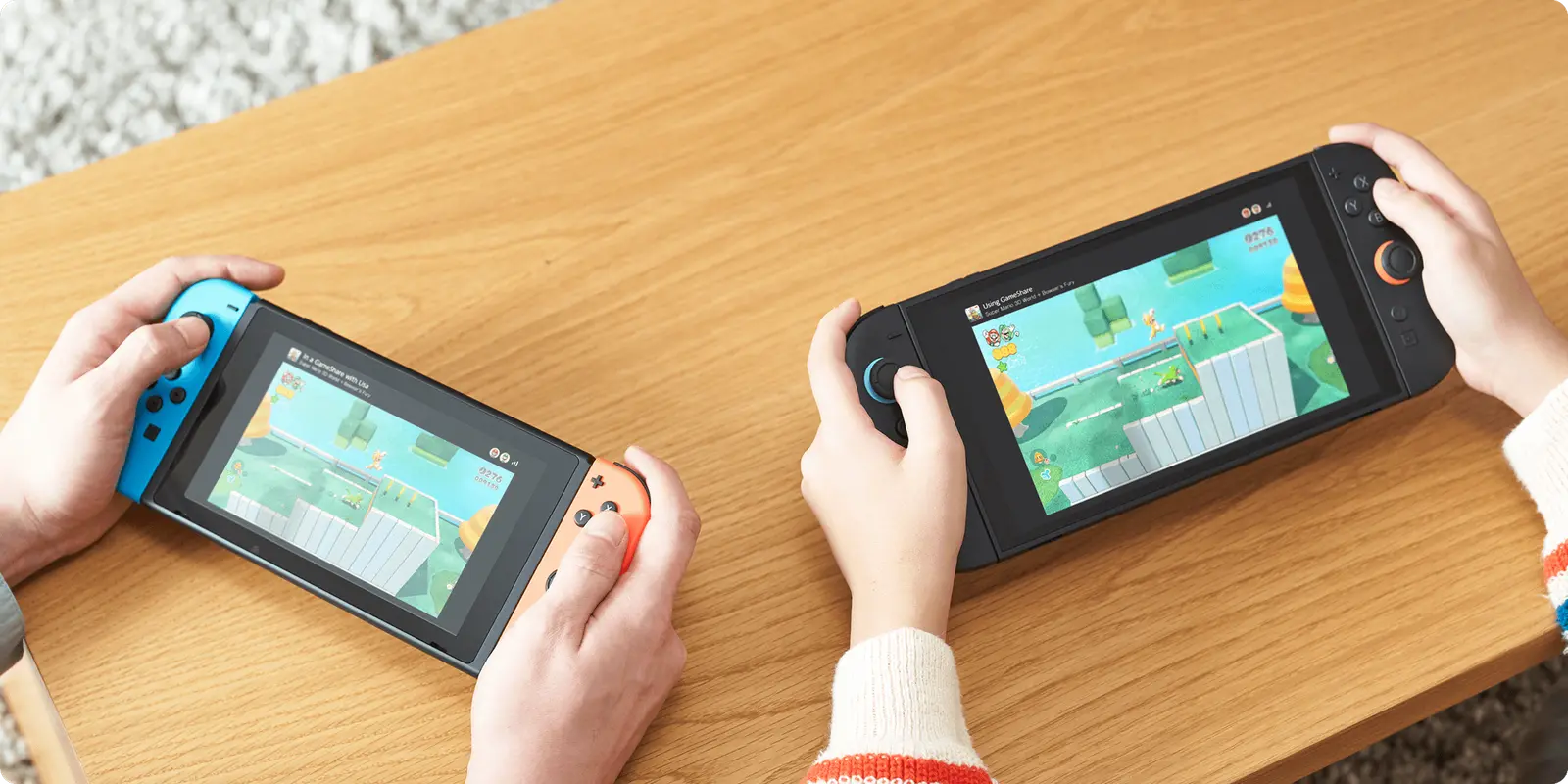
Nintendo has three separate ways to share a game, and they solve different problems: GameShare lets friends without the game join your session on Switch 2; Virtual Game Cards move your digital games between two consoles and lend them to family for 14 days; eShop gifting (from 16 Nov 2026) buys a family-group member their own copy.
Last checked:
| Mechanism | What it does | Who can start | Who can receive | How long | Status |
|---|---|---|---|---|---|
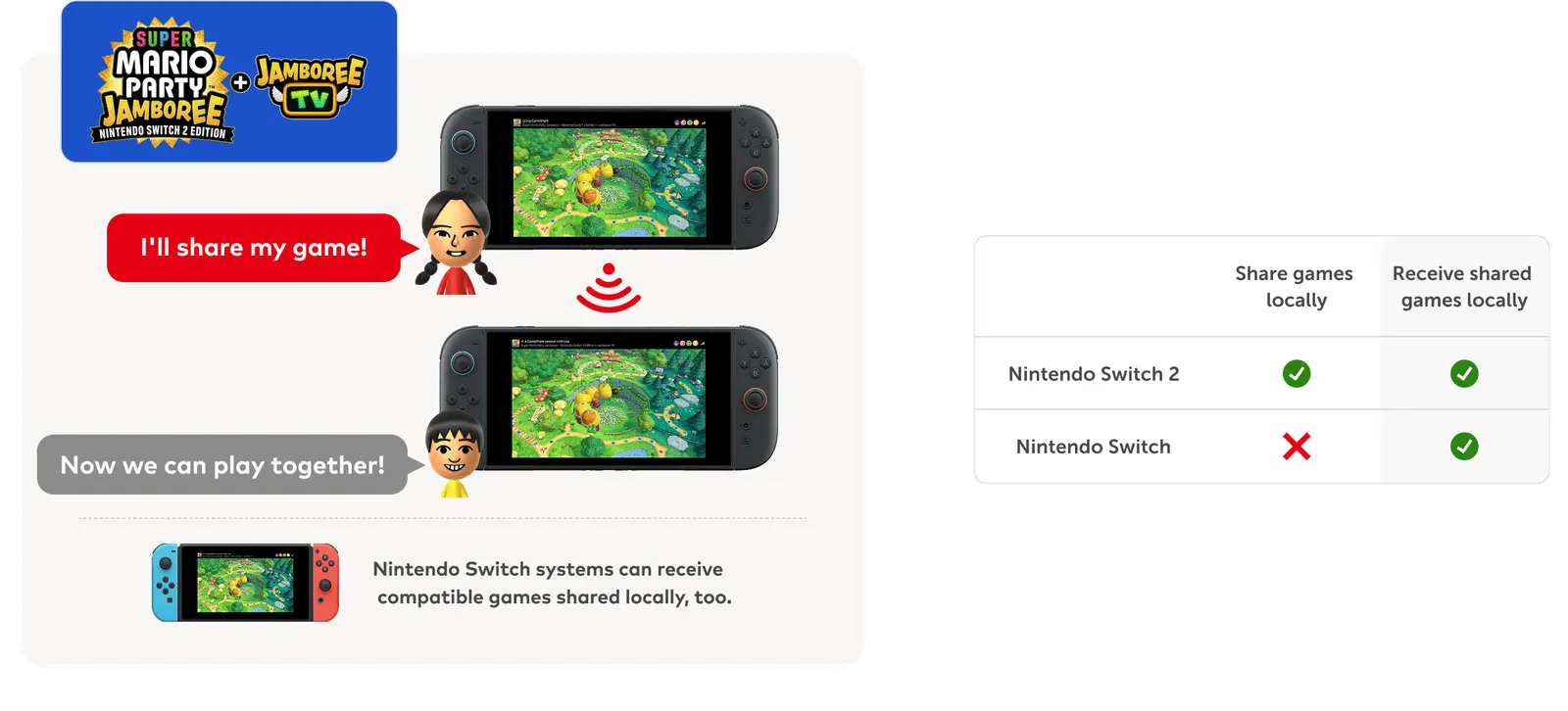
| GameShare | Shares a supported game session; receivers don't own it | Switch 2 only | Switch 2 or Switch 1 nearby; Switch 2 online via GameChat | The session | official only |
| Virtual Game Card | Loads a digital game on one of two linked consoles | The account that bought it | Any user on the console where it is loaded | Until ejected | official only |
| VGC lending | Lends a card to a family member | The account that bought it | A family-group member, in the same place | 14 days | official only |
| eShop gifting | Buys a copy for someone else | A non-supervised account | A family-group member | Permanent | 2 sources |
Router table from Nintendo's GameShare page, Virtual Game Card guide and the gifting handout (checked 20 Nov 2026).
Which one do you need?
- "My friend is here and doesn't own the game." Use GameShare from a Switch 2, if the game supports it.
- "I want my games on my Switch 2 and my kid's Switch." Link both consoles and use Virtual Game Cards.
- "My sister wants to borrow a game for a while." Lend a Virtual Game Card for up to 14 days, if she is in your family group.
- "I still have an original Switch." Read game sharing on Switch 1 — the old primary-console advice is out of date.
- "I want them to keep it." Use eShop gifting to a family-group member, or gift options on other platforms.
Do you need Nintendo Switch Online?
Only for the online parts. Local GameShare, loading Virtual Game Cards and lending work without a membership, although linking consoles and lending need an internet connection. Online GameShare through GameChat needs Nintendo Switch Online, a Nintendo Account and an internet connection. A Nintendo Switch Online family membership covers up to 8 Nintendo Accounts — the same size as a Nintendo Account family group. Details are on subscription sharing.
Common mix-ups
| Belief | What Nintendo actually says |
|---|---|
| "Every Switch 2 game supports GameShare." | Only supported titles. Nintendo features eight; Mario Kart World is not one of them. |
| "A Switch 1 can share a game with GameShare." | A Switch 1 can receive locally; only Switch 2 can send. |
| "You can lend a game to any friend." | Lending is for members of your Nintendo Account family group, and you need to be together to start it. |
| "Switch 1 uses a primary console." | Nintendo's current guidance is Virtual Game Cards plus the online licence setting. |
| "Gifting works for any friend." | Only to family-group members, and supervised accounts can't send gifts. |
The game-by-game answers live in the games table, including Mario Kart World.
Questions people ask
What does "game share" mean on Switch?
Does GameShare work on Switch 1?
Do you need Nintendo Switch Online to share games?
Can you lend a Switch game to a friend?
Can you gift a Switch game to a friend?
Sources
- Nintendo: Nintendo Switch 2 GameShare, how it works — checked 2026-11-20
- Nintendo Support: Virtual Game Card Guide — checked 2026-11-20
- Nintendo Support: How to play your games across multiple Switch 2 or Switch consoles — checked 2026-11-20
- Nintendo: Nintendo Switch Online plans and family membership — checked 2026-11-20
- Nintendo Everything: first details for the Switch 2 / Switch gifting feature (quotes Nintendo handout) — checked 2026-11-20
- Shacknews: Nintendo is adding digital game gifting for family group members — checked 2026-11-20
- Nintendo Everything: list of Switch 2 games that support GameShare (14 Nov 2026) — checked 2026-11-20
- GamesRadar+: Does Mario Kart World have Game Share? — checked 2026-11-20
How sources are counted and re-checked: editorial policy.