
Fixes · Symptom first
Game share not working? Fixes by platform
Most broken game shares have one of four causes: sharing moved to another console, a yearly or 6-month limit was hit, someone else is using the only copy, or the item is tied to the buyer's account. Find your platform and symptom below; each fix follows the platform's own order of checks.
Last checked:
PS5 and PS4
- 1 Confirm you are signed in with the account that bought the game.
- 2 Check the purchase appears in that account's transaction history.
- 3 If it is a PS Plus game, confirm the membership is active.
- 4 If someone else on the console owns it, confirm they enabled Console Sharing and Offline Play.
- 5 Check PlayStation Network status, update system software, select Restore Licences, then rebuild the database from Safe Mode.
| Symptom | Likely cause | Fix |
|---|---|---|
| Padlock on the game tile | Wrong account, inactive PS Plus, sharing not on, or a licence/network issue | Follow the five checks below |
| Padlock covers the whole game image | Parental controls | The family manager changes the restriction |
| "Enable" isn't available | Another PS5 already has Console Sharing on | Disable it there, or use Deactivate all devices (once per 6 months) |
| Friend lost access to games they used to play | Sharing moved to a different PS5 or was turned off | Sign in on their PS5 and enable it again |
| Friend can't play online | Online play needs PS Plus | Keep your Plus active; it covers users on the shared PS5 |
Xbox
| Symptom | Likely cause | Fix |
|---|---|---|
| Friend suddenly can't launch your games | You made a different console your home Xbox | Sign in on their console while online, or make it home again (counts toward 5 a year) |
| "Make this my home Xbox" is greyed out | Five changes used in the past year | Wait for the date shown on the My home Xbox screen; support can't add changes |
| Coins, packs or a pre-order bonus missing | Account-bound item | Use it on the buying account; it isn't shared |
| Your own console won't start shared games | It is offline | Connect it; only the home Xbox plays offline |
Steam
| Symptom | Likely cause | Fix |
|---|---|---|
| Family game shows as locked | Another member is playing that copy | Wait, or buy a second copy |
| Can't join or create a family | One-year cooldown, or a slot still cooling down | Read the cooldown message; it states when you can join |
| Game missing from the family library | Excluded: free-to-play, third-party key, region, OS, publisher opt-out or marked private | Check the game's store page and the owner's privacy setting |
| Save won't load on another member's copy | Different DLC set | Launch a copy with identical DLC |
The same-copy rule is explained fully on two people, one Steam game.
Nintendo Switch
| Symptom | Likely cause | Fix |
|---|---|---|
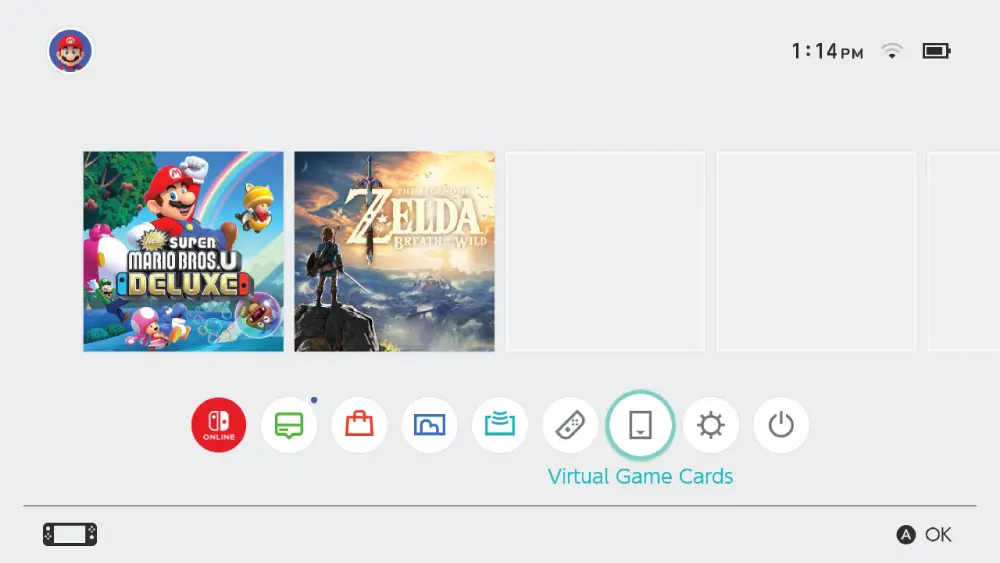
| Can't load a Virtual Game Card | Card lent out, game open on the other linked console, console offline, or two-console limit | Retrieve the card, close the game on the other console, go online, or unlink a console |
| GameShare option missing | The game doesn't support it, or the sender isn't a Switch 2 | Check the compatible list; send from a Switch 2 |
| Online GameShare fails | GameChat requirements not met | Use Switch 2 GameChat with Nintendo Switch Online and a Nintendo Account |
| Mario Kart World won't GameShare | It doesn't support GameShare | Separate consoles need game access; one-console split-screen works with one copy; see the Mario Kart World page |
| Can't lend to someone | Not in your family group, not nearby, or the game can't be lent | Add them to the family group and start the loan together |
When it is not a sharing problem
Payment failures, suspended accounts and region changes are account issues, and only the platform's support team can fix them. I don't list error codes here: none of the four platforms publishes a sharing-specific code list that I could verify against a second source.
Questions people ask
Why is my game locked on PS5?
Usually because you are signed in with a different account, PS Plus lapsed for a Plus game, or Console Sharing is off on that PS5. Restore Licences after checking those.
Why did my friend lose access on Xbox?
You probably made another console your home Xbox. Shared licences only follow the current home console.
Why is my Steam family game locked?
Someone else in the family is playing that copy. Wait or buy a second copy.
Why can't I load my Virtual Game Card?
It may be lent out, open on your other linked console, or the console is offline.
Why is GameShare not showing up?
The game may not support GameShare, or you are trying to send from a Switch 1. Only Switch 2 sends.
Why can't I gameshare with someone I used to gameshare with on PS5?
Console Sharing moved to another PS5 or was disabled. Enable it on their console again, or use the 6-monthly remote reset.
Sources
- PlayStation Support: Troubleshoot issues when starting a game (padlock icons) — checked 2026-11-20
- Nintendo Support: How to start a multiplayer game (Mario Kart World) — checked 2026-11-20
- PlayStation Support: How to turn on PS5 Console Sharing and Offline Play — checked 2026-11-20
- Xbox Support: How home Xbox and game sharing work — checked 2026-11-20
- Steam Support: Steam Families User Guide & FAQ — checked 2026-11-20
- Nintendo Support: Virtual Game Card Guide — checked 2026-11-20
- Nintendo: Nintendo Switch 2 GameShare, how it works — checked 2026-11-20
- GamesRadar+: Does Mario Kart World have Game Share? — checked 2026-11-20
How sources are counted and re-checked: editorial policy.